 BeforeAfter Concept
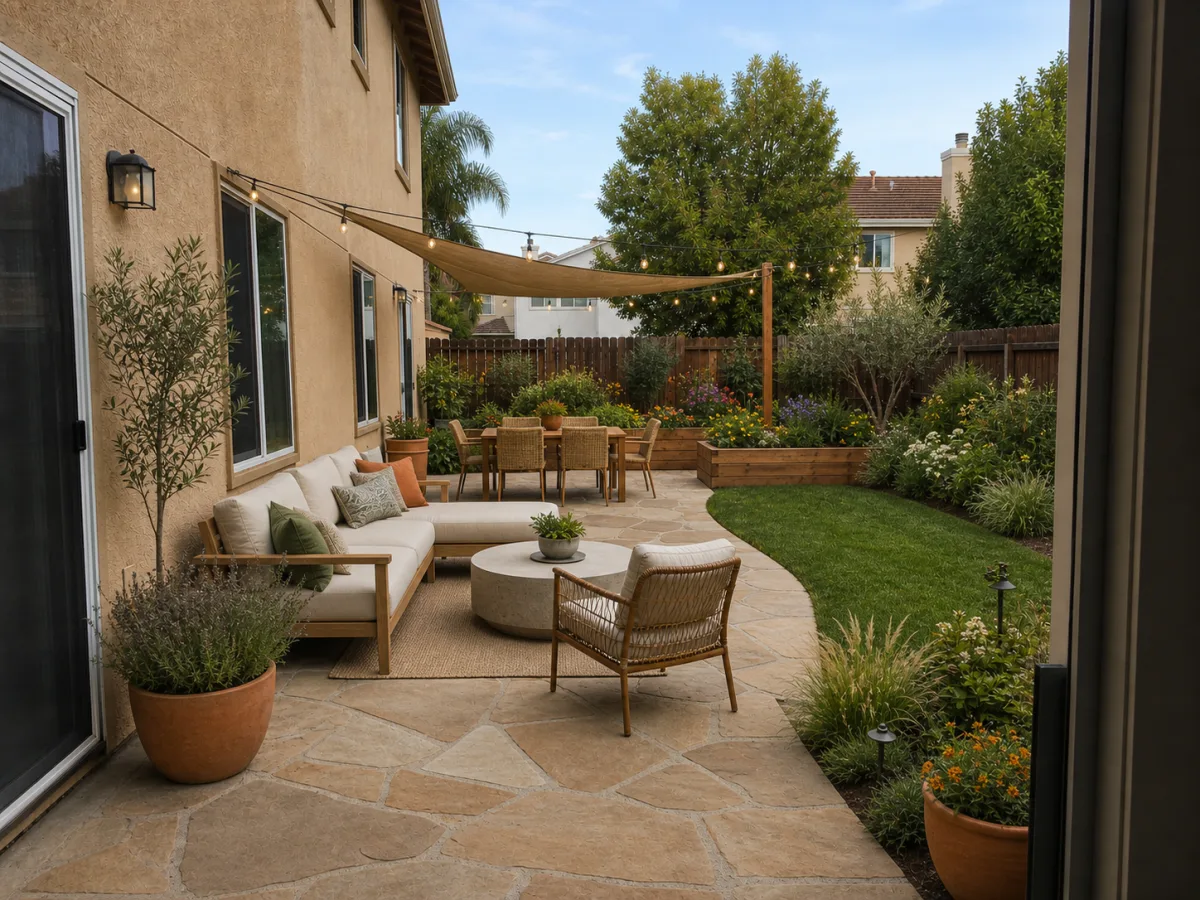
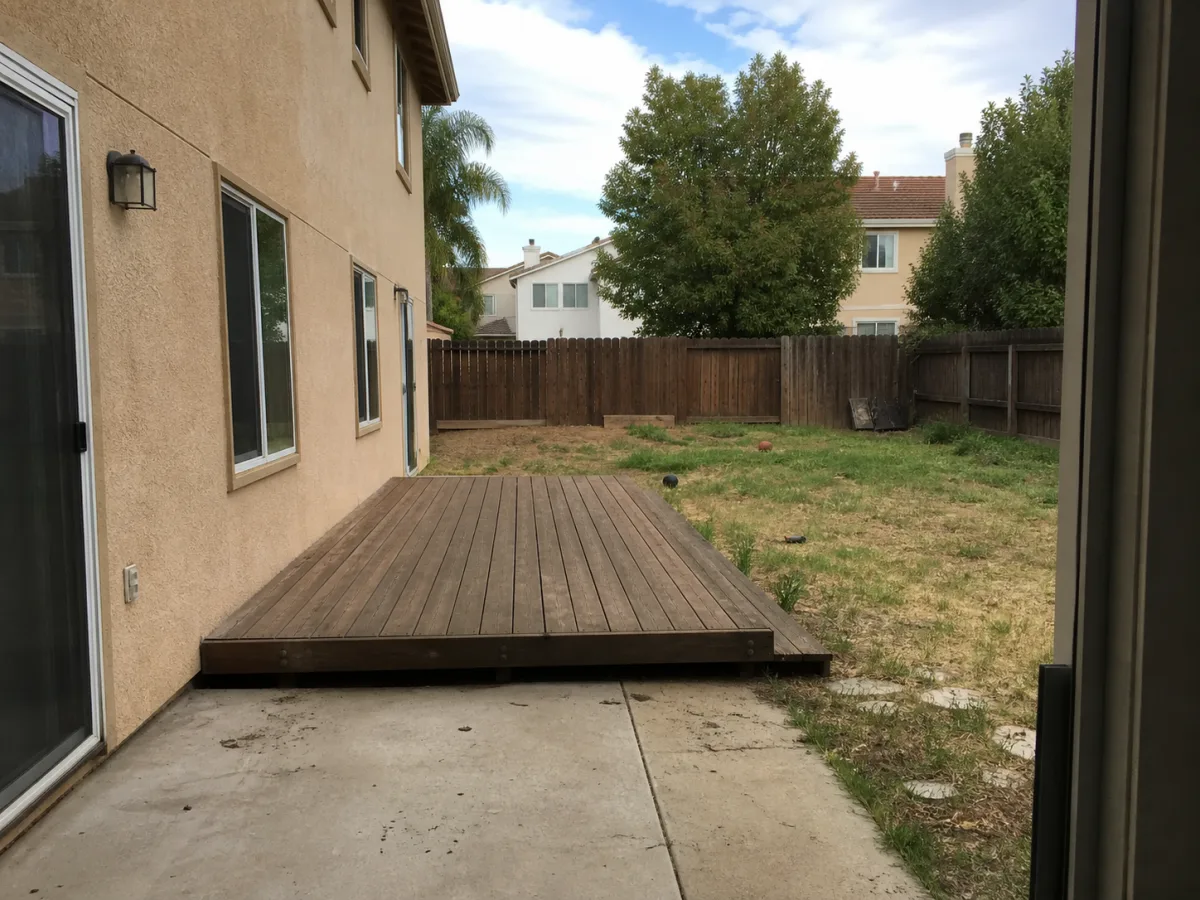
Backyard
Outdoor living layout with planting and privacy structure.
AI landscape design from photo
Upload a backyard, front yard, garden, or patio photo. AI Yard Planner turns it into an outdoor design direction with planting, materials, and next-step notes — before you spend on plants, pavers, or a professional designer.
Outdoor design preview
Roughly how big is the area in the photo? The result panel turns it into estimated zone sizes.
Pick a yard photo first.
See it in action
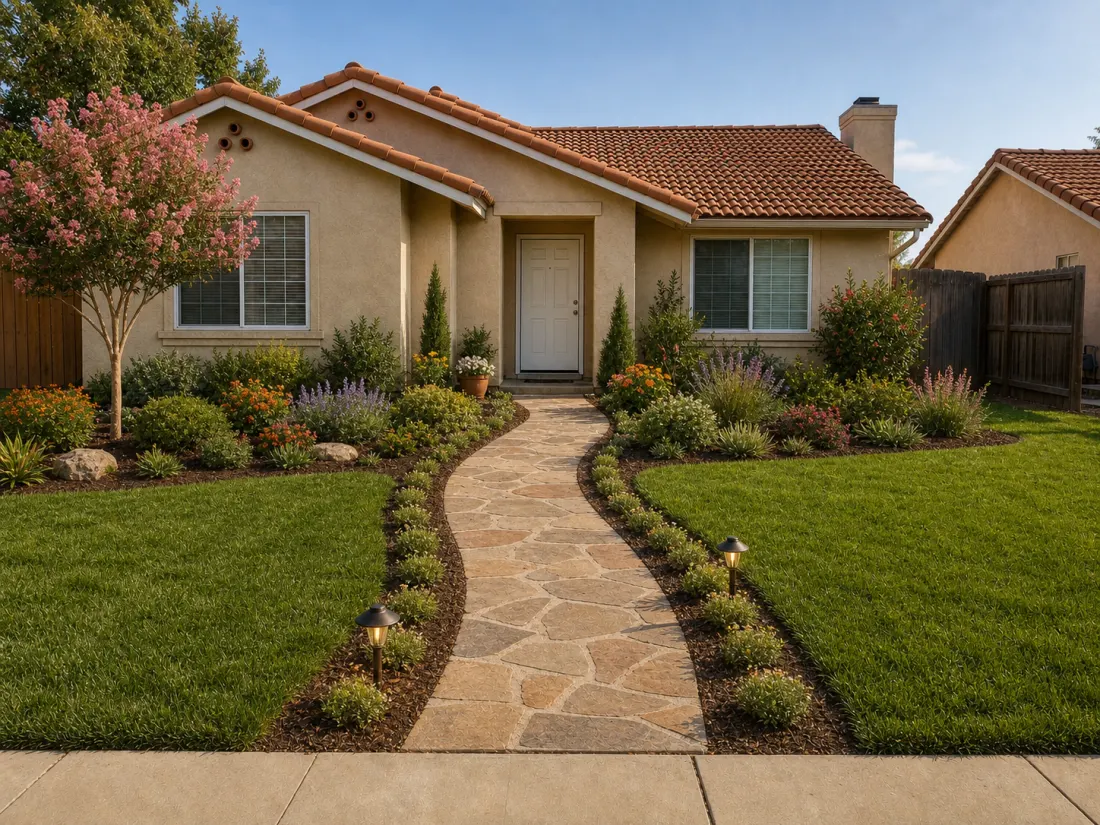
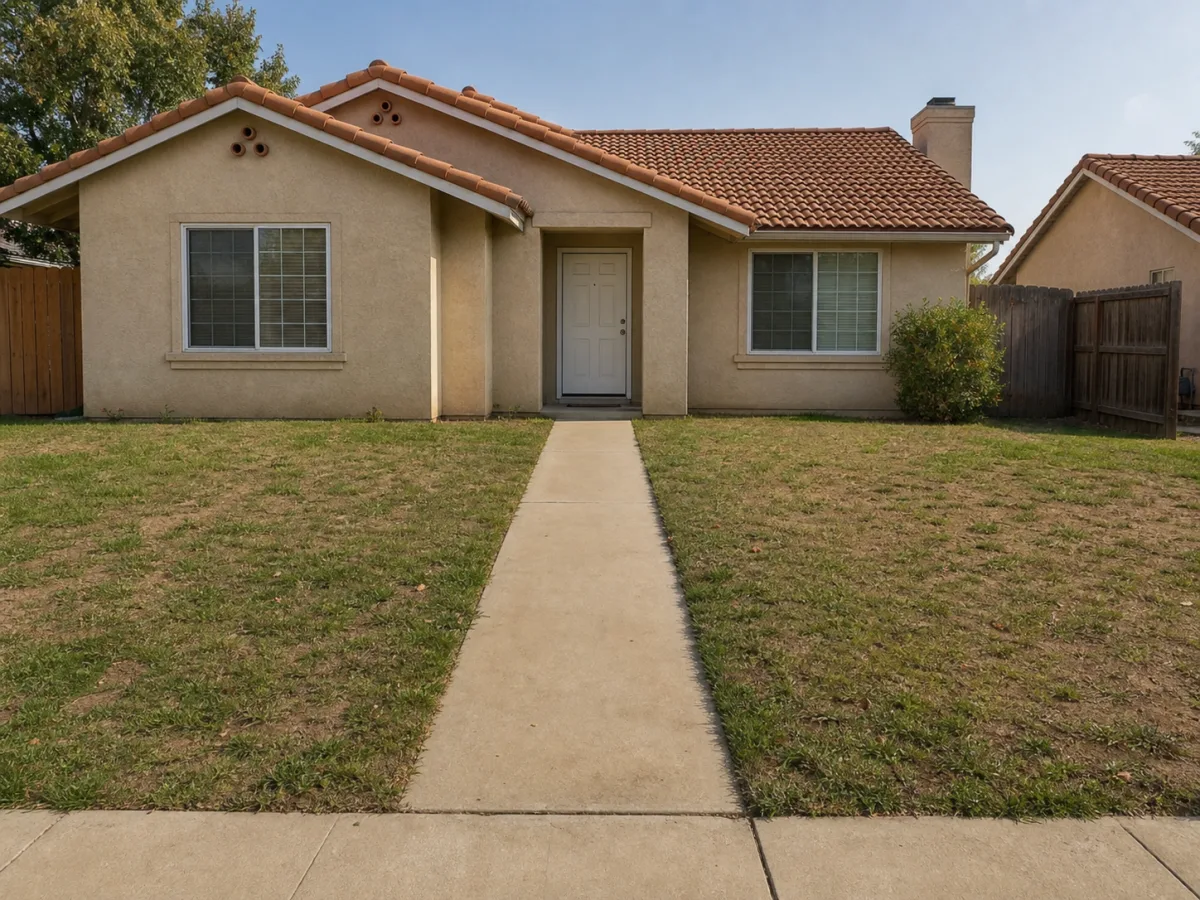
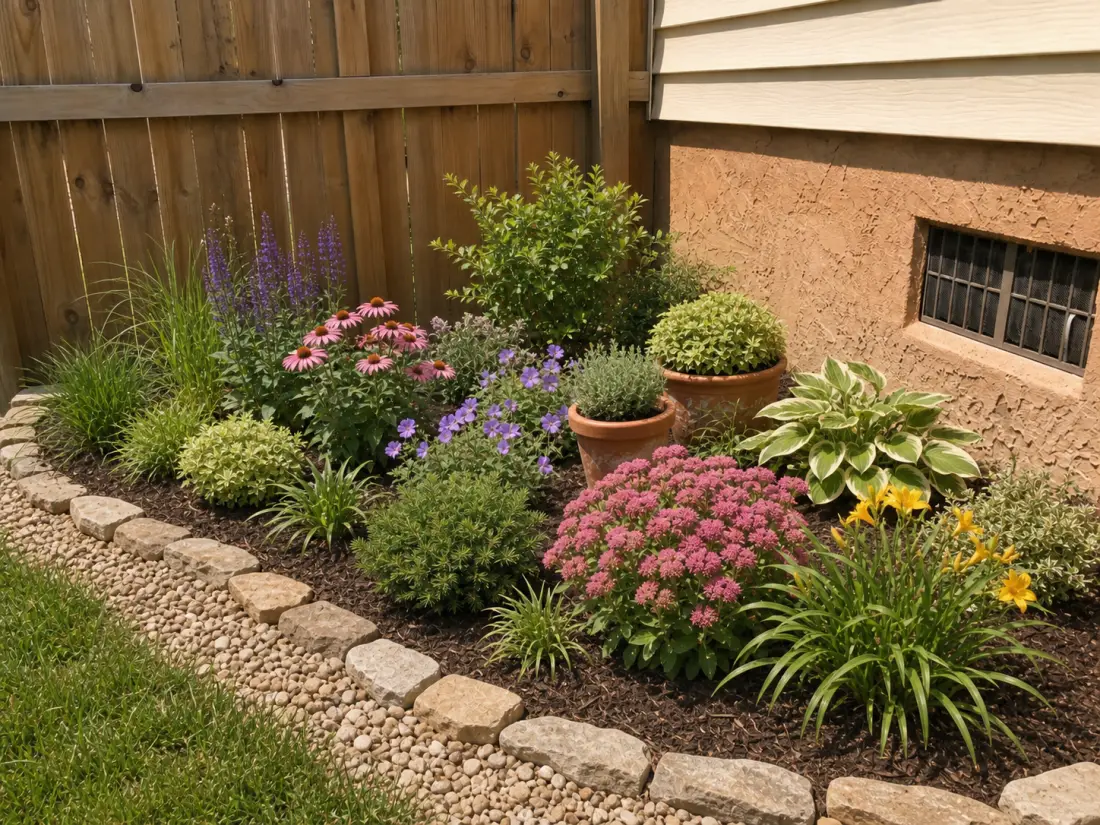
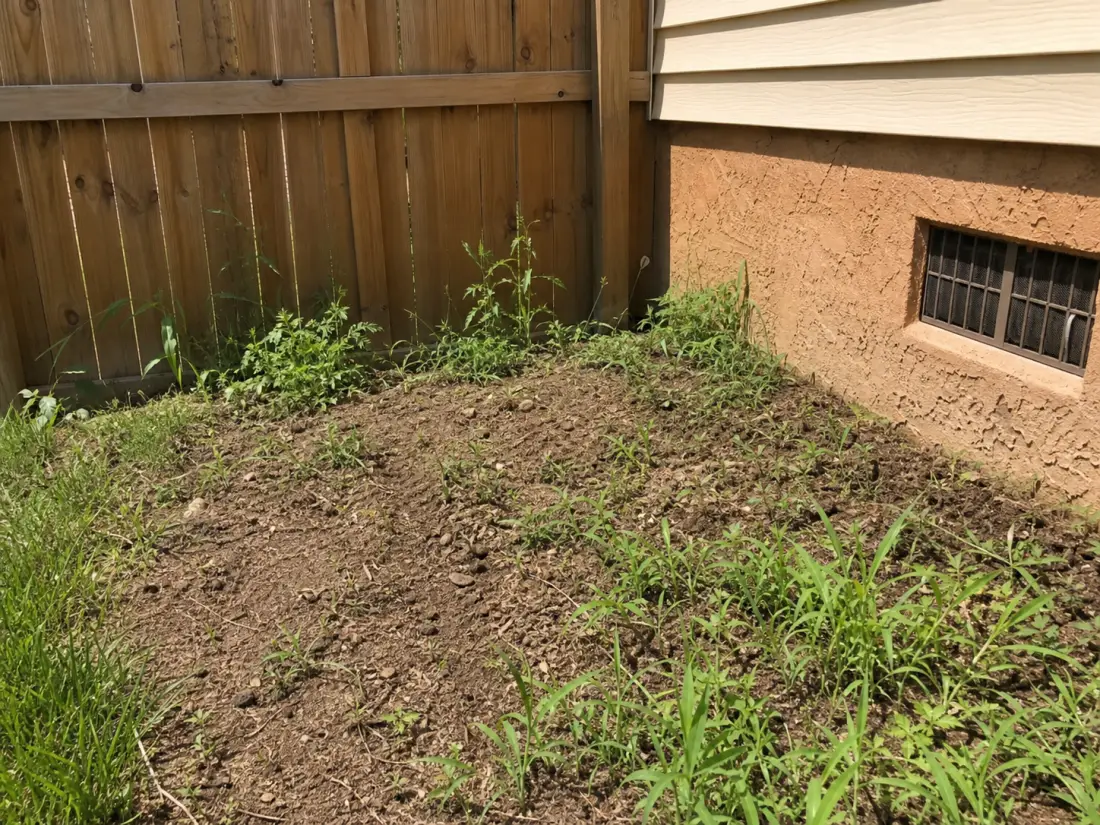
Drag each slider to compare the original yard with the AI concept. The house, fence, and main yard structure stay recognizable — only the design moves.
BeforeAfter ConceptOutdoor living layout with planting and privacy structure.
 BeforeAfter Concept
Curb appeal direction with clearer paths and layered entry beds.
 BeforeAfter Concept
Planting direction for beds, pollinators, and low upkeep.
Where this wins
Most people searching for AI landscape design do not want a random fantasy garden. They want to see what their own yard could become while the house, fence, walkway, driveway, and existing constraints stay recognizable. That is the difference between a design direction you can act on and a pretty picture you scroll past — and it is why every preview here starts from your photo instead of a blank prompt.
Test outdoor living layouts, privacy planting, lawn changes, and patio ideas before you commit a weekend or a budget.
Improve curb appeal with clearer paths, entry planting, and layered beds that make the whole facade feel intentional.
Compare pollinator, native, cottage, and low-maintenance planting directions against the beds you already have.
Preview pavers, seating, shade, lighting, and container planting before buying a single slab or chair.
More than a picture
The rendered concept is only half the output. Each preview ships with planning notes written for homeowners, so the conversation with your household, your nursery, or your landscaper starts from specifics instead of vibes.
Layering, spacing, and plant-mass guidance matched to your style — so beds look intentional from the street, not randomly dotted with nursery pots.
Practical notes on paths, edging, mulch, gravel, and seating surfaces that fit the goal you picked, from budget refreshes to full outdoor living.
Every concept carries a directional low/medium/high read on upkeep and spend, so you can compare a drought-smart direction against a lush cottage one honestly.
Working dimensions for the space you picked — path widths, seating footprints, bed depths — plus an area split if you type in your yard size. Estimates from standard landscape dimensions, not measurements taken off your photo.
A short, checkable list of what to confirm, decide, and verify before you buy materials or call a landscaper — the bridge from pretty picture to real project.
Compare directions
Most homeowners are not short on taste — they are short on comparison. A design set renders the same yard in all four directions side by side, so the decision stops being abstract.
Layered, climate-aware planting that settles in and mostly takes care of itself. Grasses, flowering perennials, and broad plant masses that read cleanly from the curb.
Clean pavers, restrained palettes, and repeated grasses. The direction for homeowners who want the yard to feel designed, not decorated.
Soft curved beds, seasonal bloom blocks, and informal paths. High charm, higher upkeep — the preview tells you that honestly before you commit.
Stone, mulch, gravel, and low-water planting grouped by irrigation need. Built for hot summers, water restrictions, and people done with mowing.
Do the math first
Here, your first previews are free — 5 credits when you sign up, no card required, and one credit covers one concept. After that, credit packs start at $4.99.
A professional landscape design consult often runs from hundreds to several thousand dollars before a single plant is chosen. An AI preview is not a replacement for that expertise — it is the cheap, fast step that tells you which directions are worth paying a professional to develop.
5 free credits on signup. No card, no subscription, no trial countdown.
Walk into a designer consult with two or three directions you already like, instead of paying to explore from zero.
Use the maintenance and budget ranges to drop directions that do not fit your weekends or your wallet — before they cost you either.
How it works
Use the preview to align your household, decide what to keep, and bring clearer examples to a local landscaper or nursery. Three steps, no design skills required.
Use daylight and include fixed elements like fences, doors, paths, and major trees.
Low-maintenance, curb appeal, outdoor living, or a budget refresh keeps the AI direction focused.
Use the image and notes to decide plants, materials, and what needs professional review.
Honest fit
Frequently asked
Yes, to start. Every new account gets 5 free credits with no card required, and one yard preview uses one credit. If you want more directions or a full design set, credit packs start at $4.99 — no subscription is forced on you.
On this site, your first previews are free and a single concept costs one credit. Traditional landscape design help often runs from hundreds to several thousand dollars for a concept plan, so an AI preview is a low-cost way to compare directions before you hire anyone.
No. You upload a photo, pick your space, one goal, and a style direction. The planner handles the visual concept and writes the planting, materials, and next-step notes in plain homeowner language.
Yes — that is the point of photo-based design. The house, fence, doors, windows, driveway, mature trees, and main hardscape stay in place so you can recognize your own yard in every concept.
Yes. Small patios, side yards, compact front yards, and narrow garden beds are strong use cases because clear constraints make the design direction more useful.
No. It helps you explore direction and communicate visually. Permits, grading, drainage, utilities, structures, and construction details need local expertise.
Start with one photo
5 free credits on signup. No card needed to see your first concept.